
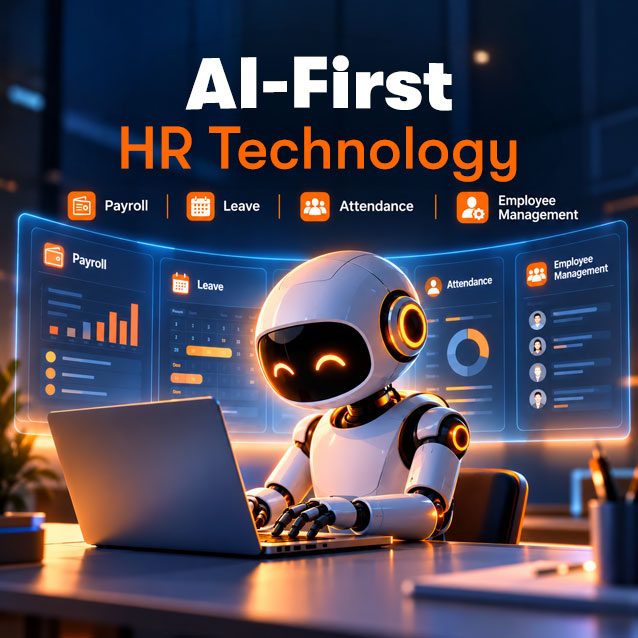
Video Conferencing Built Into Your HRMS
Why switch between different tools just to get your team on a call? With HelixtaHR, you can hold secure video meetings right inside your HRMS. No extra app to install. No second login. No hunting through chats for meeting links.
- Start or join a meeting in one click.
- Create permanent links for regular team meetings.
- Let hosts decide who gets into a meeting.
Trusted by 500+ organizations across India
Waiting to join 2
What Is Video Conferencing?
Video conferencing lets people meet face to face over the internet using live video and audio. Teams can connect from different offices, discuss work and collaborate without being in the same room.
Video Meetings are built directly into your HRMS. Employees can use their existing HelixtaHR login to start or join meetings, just as they do when checking attendance, applying for leave, or accessing payroll information.
 Attendance
Leave
Payroll
Meetings
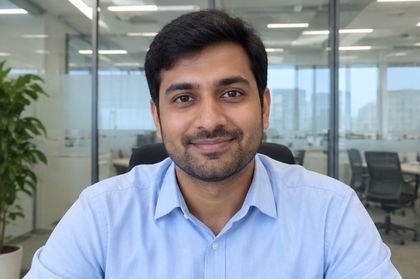 MumbaiRohan Mehta · Host
 BangaloreKavita Rao
 GurgaonAditya Shah
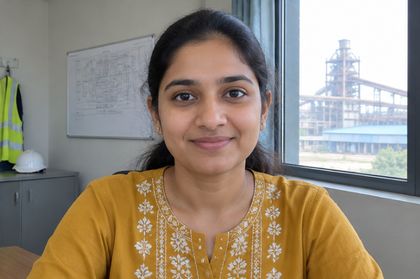 ChennaiDivya Nair
Advantages of Video Conferencing Inside Your HRMS
Your team shouldn't have to manage another tool just to talk to each other. Here's what changes when video conferencing becomes part of your HRMS.
No Second Login
Employees don't need another account or password. They can access meetings using their existing HelixtaHR credentials.
No More Lost Meeting Links
Regular meetings can have their own permanent links. No need to create and share a new link every time.
No Uninvited Participants
A shared link shouldn't mean everyone gets access. Hosts and co-hosts control who enters the meeting.
One HR Stack
Attendance, leave, payroll and team meetings are accessible within the same platform. Fewer tools to switch between.
Company Meetings Stay Separate
Each company's meeting environment and information are kept separate from other companies.
HelixtaHR Meetings vs. Separate Video Conferencing Tools
Here's how HelixtaHR compares with a separate meeting app:
| What you need | Separate meeting app | HelixtaHR Meetings |
|---|---|---|
| Employee login | Separate account | Existing HelixtaHR login |
| Meeting access | Anyone with the link may enter | Host controls entry |
| Regular meetings | New link each time | One permanent custom URL |
| Platform | Another tool to manage | Built into your HRMS |
Key Features of HelixtaHR Video Conferencing
HelixtaHR gives your team the controls they need without making them switch between different applications.
One-Click Meetings, No Separate Login
Open the Meetings section in HelixtaHR, start a meeting and share the link with your team.
Camera and Microphone Check Before You Join
Don't let camera or microphone issues interrupt the first few minutes of a meeting.
Permanent Meeting Rooms
Create a Permanent Meeting Room with its own custom URL.
Host and Co-Host Controls
Hosts and co-hosts control meeting entry. Other participants wait until a host admits them.
 Off
 Light
 Strong
Background Blur for More Privacy
Choose Light or Strong background blur to keep your surroundings out of view.
Raise Hand and Reactions
Not every discussion needs everyone speaking at once. Use the Raise Hand options.
How a Meeting Works in HelixtaHR
Getting your team together doesn't need a complicated process. Start a meeting in a few steps.
Open Meetings
Access Meetings from your HelixtaHR account.
Check Audio & Video
Preview your camera and test your mic.
Admit Participants
Hosts control who joins the meeting.
Leave or End
Exit or hand over host control.
See Video Meetings in Action
A short demo with our team shows you more than a feature list can.
Where Teams Use HelixtaHR Video Meetings
HelixtaHR Video Meetings fits naturally into everyday team communication.
Daily Stand-Ups
Daily team updates with one permanent link.
HR One-on-Ones
Private employee discussions with controlled access.
Weekly Team Reviews
Recurring reviews in one meeting room.
Multi-Branch Updates
Connect teams across office locations.
Manager Check-Ins
Quick manager-team discussions.
Internal Training
Conduct training with Raise Hand support.
Secure Video Conferencing Solutions for Your Company
Meetings often cover salaries, performance and people decisions. Access has to be tight. Here's how HelixtaHR handles it:
- Every company's users, meetings and records are kept separate
- Only signed-in employees of your company can join
- Hosts and co-hosts admit everyone else
- Access ends when someone leaves the company
Real Results. Real Businesses. Real Impact.
500+ organizations across India trust HelixtaHR to run payroll, attendance and compliance every month.

Rajiv Menon
HelixtaHR's HR software has completely transformed how we manage our workforce at Aniston Technologies LLP. The centralised employee database, digital document management, and customizable profiles have eliminated the chaos of spreadsheets. Compliance with PF, ESIC, and TDS is now automated, and our HR team saves hours every week. Highly recommended for any IT company!

Priya Nambiar
As an IT company, we needed an HR platform that could keep up with our pace. HelixtaHR delivered exactly that. The end-to-end employee lifecycle management, from onboarding to offboarding, is seamless. Digital offer letters with e-signatures were a game-changer. The support team at HelixtaHR is incredibly responsive!

Suresh Pillai
We tried multiple HR tools before settling on HelixtaHR. What won us over was that the India-specific compliance handling is all auto-calculated without manual intervention. The role-based access controls and audit logs give us complete confidence in data security. This is the best HR software we've used.

Anita Kulkarni
HelixtaHR has been a blessing for our edtech company. Managing a growing team across multiple locations was getting complicated, but HelixtaHR's cloud-based HR management platform keeps everything in sync. The organizational hierarchy builder and custom employee fields are exactly what we needed. Setup was quick, and the interface is intuitive.

Divya Menon
I highly recommend HelixtaHR. The support team is responsive, user interface is friendly, and dashboard is clean and easy to navigate. Overall, it is a reliable HR software.

Vikram Sharma
Since implementing HelixtaHR at Ingo Tech, our HR operations have become significantly more efficient. The real-time analytics dashboard helps us make data-driven decisions on workforce planning. The platform scales effortlessly as we grow, and the pricing is very transparent — no hidden costs. We've gone from managing HR on Excel to full automation!
What to Look for in Video Conferencing Features
Here are a few things that you should look for in Video Conferencing:
No extra login for employees
Every extra password is a support ticket waiting to happen.
Host controls over who joins
If anyone with a link can walk in, it isn't a private meeting.
Permanent links for regular meetings
Recurring meetings shouldn't need a fresh invite every time.
Privacy features like background blur
People work from kitchens and spare rooms. Let them keep it that way.
Works in your desktop browser
Nothing to download before a meeting starts.
Part of your HR software
Meetings that connect to the system your team already uses beat one more standalone tool.

Frequently Asked Questions
Can’t find what you’re looking for? Book a demo and ask us directly.


Ready to Bring Your Team Meetings Into HelixtaHR?
Your team already uses HelixtaHR to manage everyday HR activities. Give them one less platform to switch between. See how HelixtaHR Video Meetings fits into your workplace.
