Call for Demo : +91-9999007707

Stay Organized. Get Work Done Faster

Simplify daily operations and improve team productivity with smart task management software built for modern teams.

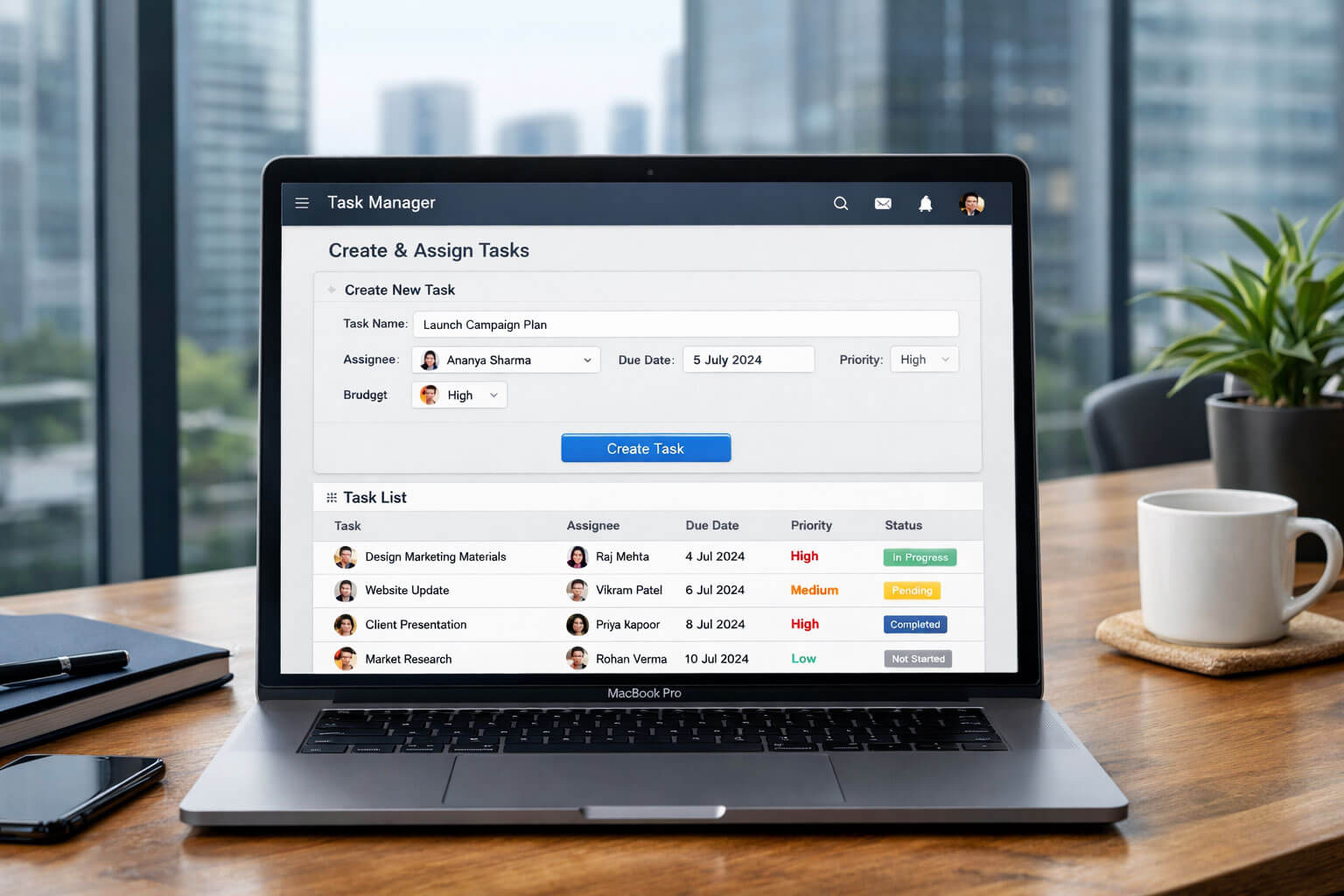
  • Assign tasks easily
  • Track progress in real-time
  • Meet deadlines consistently
Start Free Trial Request Demo
Hero Image

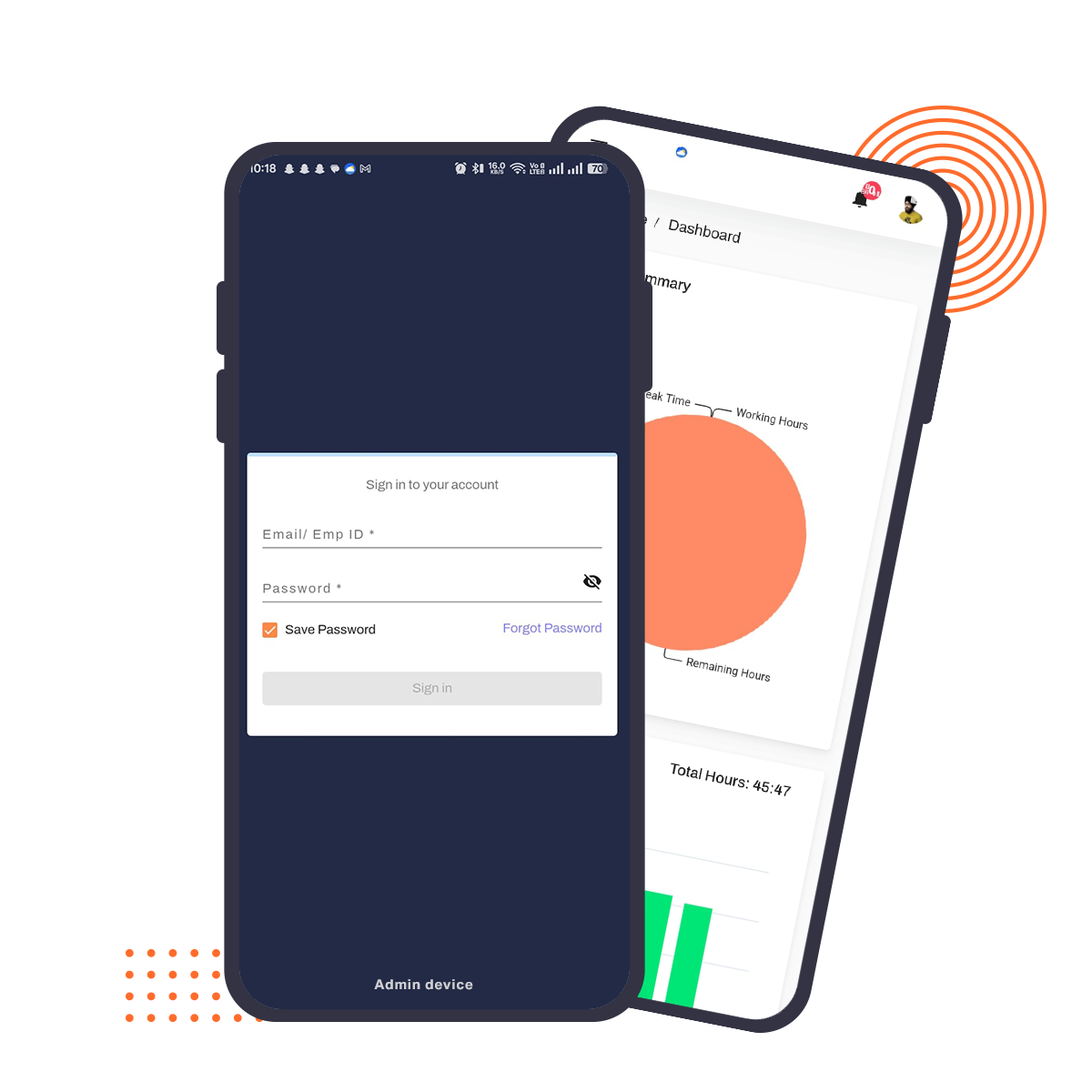
Task management software helps teams organize, assign, and track tasks efficiently. It improves collaboration, ensures deadlines are met, and enhances productivity. With real-time updates and progress tracking, businesses can manage workloads effectively and keep teams aligned with goals.

Designed for Productive Teams

A flexible solution that helps teams plan, execute, and complete tasks without confusion.
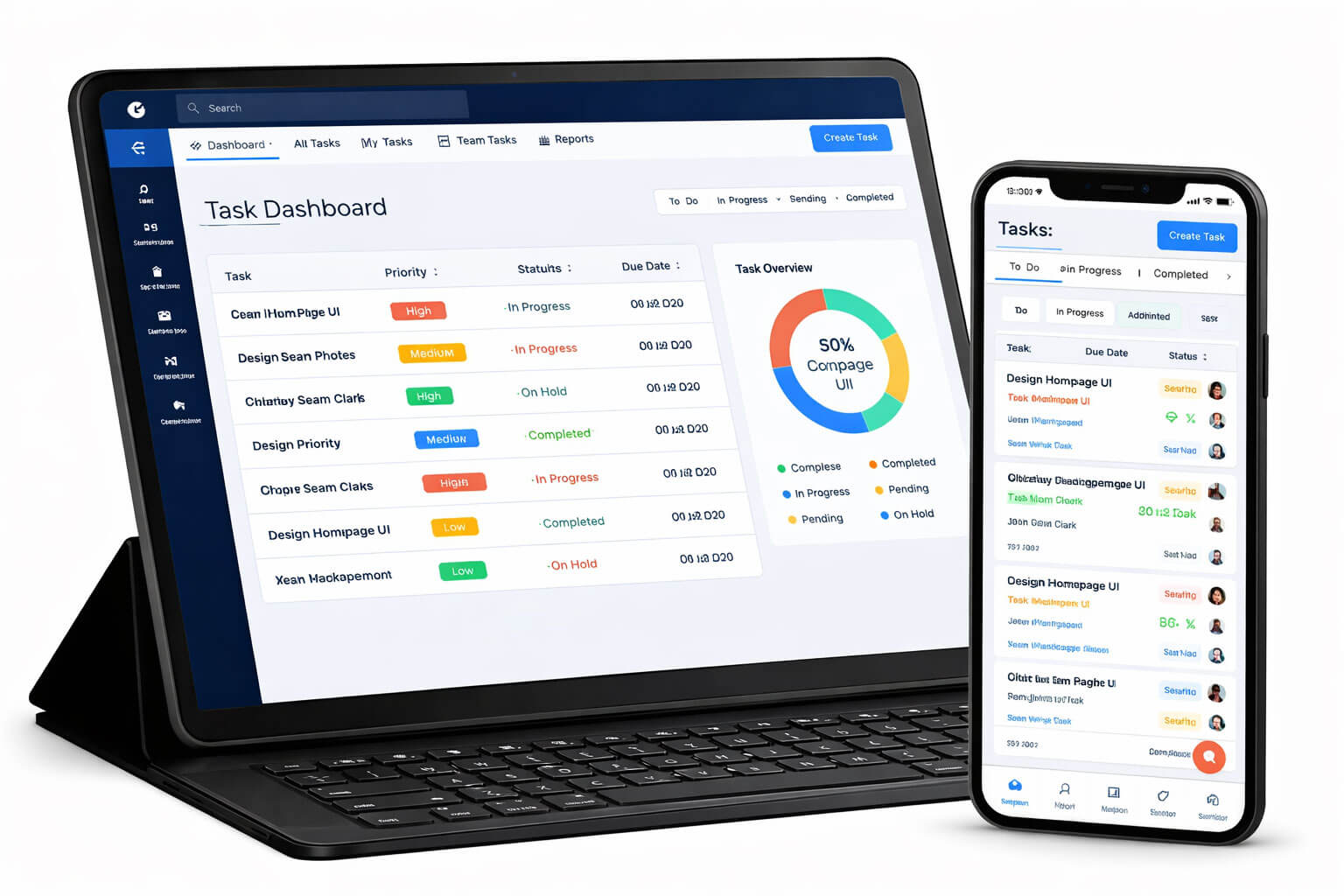
  • Clear task visibility
  • Seamless team coordination
  • Scalable for any workflow
Schedule a Demo
Hero Image

Task Management Software to Organize Work & Improve Productivity

This preface keeps the message simple and straightforward on improving teamwork while highlighting the essential components you asked for: task administration, software, and productivity enhancements. Tell me if you require any adjustments!

The historical practice of organizing, planning, and monitoring projects to ensure their timely completion is known as task management. Team Manager, supervisors, and individuals all use it to optimize workflows. Excellent task management increases output, reduces mistakes, and guarantees that goals are accomplished effectively, all of which eventually improve performance and teamwork.

Why Task Management Is Critical for Modern Teams

Teams frequently deal with issues involving missed deadlines, inconsistent task ownership, manual supervision, and excessive workloads in today's hectic workplace. Confusion, stress, and decreased productivity might result from these problems.

By offering precise task distribution, automated tracking, and a structured process, effective task management tackles these issues. Process simplification lowers stress, increases productivity, and improves teamwork, enabling teams to concentrate on their objectives and produce excellent work on schedule.

What Is Task Management?

The process of planning and monitoring tasks from beginning to end in order to assure their timely and effective completion is known as task management. There are four essential steps involved:

  • Planning Defining assignments and due dates.
  • Assigning: Offering tasks to the appropriate people or groups.
  • Tracking: Keeping an eye on developments and resolving potential issues.
  • Completing: Making sure functioning is completed in accordance with quality standards.

Task management aims to improve efficiency and timely completion of projects by streamlining steps, cutting down on inefficiencies, and ensuring that everybody is on the same page.

Task Management vs Project Management

Task Management Project Management Overlap
Puts an emphasis on single jobs or smaller groups of tasks. Consists of a wider range of activities, such as resource allocation, budgeting, and planning. To be certain that goals are reached, both need task delegation and tracking.
Fretful about planning, allocating, and finishing particular tasks. Emphasizes on managing all project components, including tasks, deadlines, milestones, and stakeholders. Both seek to improve teamwork, production, and resource efficiency.
Usually used for daily tasks, to-do lists, and individual and group objectives. Focuses on more extensive projects with several teams, tasks, and intricate deliverables. Both require effective communication and coordination among team members.

Why Businesses Need Task Management Software?

In modern company settings, task management software is essential since it follows:

  • Higher Productivity Reduces manual labor and delays by automating work assignment and tracking.
  • Improving Accountability It is easier to monitor progress and results when roles and duties are clearly defined.
  • Enhancing Collaboration Supports team communication, ensuring alignment and common goals.
  • Increasing Transparency Prevents misunderstandings by offering updates in real time and transparency into task status.
  • Scalability Provides adaptable solutions for companies of all sizes, accommodating expanding teams and projects.

Businesses can increase results, streamline processes, and more readily adjust to workplace changes by implementing task management software.

Core Capabilities of Task Management Software

Several specialized capabilities offered by task management software are intended to improve efficiency and optimize workflows. Among the fundamental skills are:

  • Task Development & Assignment As soon as possible, develop tasks with precise dates and priorities and allocate them to team members.
  • Progress tracking Keep an eye on the status of tasks, spot obstacles, and make sure deadlines are fulfilled.
  • Teamwork Tools Integrated communication tools that keep everyone in touch, like team chat, file sharing, and comments.
  • Automated Reminders & Alerts To make sure that no responsibilities go unnoticed or postponed, set up automated notifications.
  • Analytics and Reporting Produce thorough reports on team performance, task completion rates, and general advancement.
  • Integrations To establish a smooth workflow, link with additional corporate resources (such as calendars, email, and project management software).

Task Creation, Assignment & Prioritization

Task creation is the initial step in organizing work within a project or team. It involves defining a task with a clear description, setting a due date, and identifying the person responsible for completion (task ownership). Properly prioritizing tasks ensures that critical activities are handled first and less urgent ones are deferred. Prioritization can be done through methods like high, medium, and low priority labels or using numerical values.

Additionally, dependencies between tasks are crucial in planning, as certain tasks may need to be completed before others can begin. A well-organized task creation and assignment process ensures that work is managed efficiently and in alignment with team goals.

Team Task Management & Collaboration

The first stage in planning work for an initiative or team is task development. It entails creating a project with a precise description, establishing a deadline, and designating the person in charge of finishing it (task ownership). Setting priorities correctly assures that important tasks are carried out first, whereas less important ones are postponed. Numerical values or a combination of high, medium, and low precedence designations are two ways to prioritize.

Furthermore, as certain tasks might need to be finished before others can start, interdependence between tasks are essential in planning. Work is managed effectively and in line with team objectives when the task development and assignment process is well-organized.

Task Management Dashboard & Tracking

A task administration dashboard offers a central spot to monitor the progress of the entire project. It enables managers to keep tabs on the team's progress by graphically displaying task statuses, timeframes, and key indicators of performance (KPIs).

Task trackers reveal what assignments are behind deadline or encountering obstacles, while progress views indicate how near every task is to completion. Additional insights into team efficiency, completion of tasks rates, and project timetables are provided via the dashboard's ability to generate reports.

This enables stakeholders to make well-informed choices and modify plans as necessary.

Time & Task Management

Effective time management is essential to successfully completing tasks. Work spent on each task is documented and assessed when time tracking is integrated with task management software. Managers can prevent fatigue or imbalance by using workload visibility tools, which provide information on how much work everyone on the team is managing.

Workflows and allocation of resources can be optimized by using productivity insights to find trends in how activities are accomplished. By identifying possibilities for improvement, this approach helps teams operate more efficiently and ensures that assignments are finished within predetermined timescales.

IT & Employee Task Management Systems: Task Workflows, Management, and Approvals

In order to ensure that work is completed effectively, tasks are appropriately prioritized, and there is responsibility for deliverables, task management is essential in both standard IT departments and regular employee workflows.

1. Task workflows for IT

Task workflows in the IT group are the stages or procedures needed to finish a particular IT-related task. These workflows are intended to assure the methodical and error-free execution of operations including software upgrades, troubleshooting, and system maintenance. Workflows for IT tasks frequently consist of multiple stages:

a. Task Creation: Usually, tasks are made in response to projects (like infrastructure upgrades), incidents (like system breakdowns), or service requests (like software installation). Internal staff, clients, or automated systems of monitoring may submit a request.

b. Task Categorization and Classification: After a task is logged, it is prioritized based on urgency and classified according to its category (e.g., bug fixation, maintenance, security issue).

c. Assignment: The right IT employee or team with the expertise needed is subsequently given the task. For instance, a software flaw could be assigned to a developer, whereas a network problem might be given to a network engineer.

d. Execution: After being given a task, the IT team members work on it, carrying out the actions required to finish the request or fix the problem. Troubleshooting, testing, and implementing repairs or solutions are just a few of the sub-steps that could be included in this phase.

e. The resolution & Closure: Following the completion of the task, the technician confirms that the problem has been fully resolved and that the solution is effective. Documentation that describes what was performed, any difficulties encountered, and the result is frequently necessary. The assignment is closed once everything has been verified.

f. Feedback & Review: Some systems may also have a mechanism of feedback that allows the requester (a customer or employee) to offer input on the resolution process. This input can then be evaluated for effectiveness and ongoing development.

2. Employee Task Management

Several departments use employee systems for task management to make sure that assignments are assigned, tracked, and finished on schedule. Usually, the procedure entails the following steps:

a. Task Preparation and Assignment: Based on company needs, project objectives, or individual workload, managers or team leads establish tasks. An employee is given each task, and it is their responsibility to finish it. Professionals may be able to generate their own tasks in some systems, especially if they are in charge of their own projects.

b. Establishing Priorities and Deadlines: According on the subject matter of the task, each one is given a deadline that may be strict or flexible. Additionally, tasks are prioritized; some may be more critical than others.

c. Monitoring Progress: Managers and staff can keep tabs on the status of tasks using task management tools. Workers can indicate whether they are facing obstacles, mark milestones, and maintain the current state of their job. In real time, managers are able to monitor the development and provide support if necessary.

d. Cooperation and Communication: Tasks frequently call for input from several teams or employees. Collaboration is made easy by the integrated communication features found in many contemporary task management systems, which include file sharing, comments, and real-time updates. An employee focusing on a marketing initiative task, for instance, would want feedback for graphic assets from the design team.

3. Approval of Tasks

Task approval procedures are required in many organizations, particularly in larger businesses or for work pertaining to vital systems. Typically, approvals operate like follows:

a. Initial Task Request: An automated system, management, or employee proposes or creates a task. The task's specifics are well-defined, including who it is for, what is needed, and when it must be completed.

b. Request for Approval: After a task is created, it might require to be approved by a higher-level authority, like a project manager, team lead, or department head. For instance, IT and control of budgets may need to approve an employee's request for a new software program before they can make the purchase.

c. Review: The person in charge of approval will examine the task's details and determine whether it is feasible, has an impact on the budget, or is relevant to the organization's overarching objectives. Compatibility checks, impact analyses, and risk assessments may be necessary for IT-related operations like updates to software or infrastructure modifications.

d. Feedback and Modifications: Before approving the job, the approver may offer comments, request modifications, or request further details. This feedback loop guarantees that the work is in line with more general objectives, upholds organizational standards, or optimizes use of available resources.

e. Approval or Denial: Once all details are considered, the approver will either approve or deny the task. While a refusal necessitates that the employee rework the plan or consider other options, an approval typically initiates the activity.

f. Task Tracking After Approval: A feedback cycle may be in effect to make sure a task is successfully finished after it has been accepted and carried out. Before being completely closed, the job may go through one more review to make sure it satisfies the required requirements.

Comparison Table: Task Management Software vs. Spreadsheets & Manual Lists
Feature Task Management Software Spreadsheets & Manual Lists
Automation High: Automates task assignments, reminders, notifications, and dependencies. Tasks can be automatically updated based on changes or progress. Low: No built-in automation for task updates or reminders. Requires manual input for tracking and task changes.
Collaboration High: Facilitates real-time collaboration with team comments, shared updates, file attachments, and task assignments. Teams can work together seamlessly. Low: Collaboration is often limited to email or physical meetings. No real-time collaboration; requires manual sharing of updated spreadsheets or lists.
Tracking & Reporting High: Built-in tools for task tracking, progress monitoring, and automated reporting. Allows for visual tracking (Gantt charts, Kanban boards). Limited: Requires manual updates and effort to track progress. No automated reporting or visualization features. Tracking progress is cumbersome.
User Interface Intuitive: Modern task management software typically has a user-friendly, intuitive interface with visual tools like dashboards, calendars, and to-do lists. Clunky: Spreadsheets and lists can become cumbersome and disorganized, especially with larger teams or complex tasks.
Task Prioritization Easy: Tasks can be easily categorized, prioritized, and labeled. Users can view tasks based on urgency, deadlines, and importance. Difficult: Prioritization is typically done manually, and tasks can easily get lost in a long list or spreadsheet.
Integration with Other Tools High: Integrates with other tools like calendars, email, file storage systems (Google Drive, Dropbox), and productivity apps (Slack, Microsoft Teams). Low: Limited or no integration with other productivity or communication tools. Data entry must be manually copied between platforms.
Task Dependencies Easily Managed: Automatically tracks dependencies between tasks (e.g., Task B cannot start before Task A finishes). Difficult: Task dependencies are difficult to track, requiring manual tracking and updates in separate columns or notes.
Scalability High: Task management systems can scale easily, supporting multiple teams, departments, and complex workflows without additional effort. Low: Spreadsheets and manual lists become increasingly difficult to manage as the number of tasks or teams grows.
Real-Time Updates Instant: Changes to tasks are updated in real-time and instantly visible to everyone involved. Slow: Updates must be manually shared. Often requires refreshing or re-uploading spreadsheets, leading to delays.
Version Control Built-In: Automatically saves version histories, allowing users to track changes, revert to previous versions, and avoid mistakes. Manual: Version control must be done manually, often by renaming files or using complex systems of backups. Changes can be easily lost or overwritten.
Mobile Accessibility High: Many task management tools have dedicated mobile apps for task updates, tracking, and communication on the go. Limited: Spreadsheets can be accessed on mobile devices, but usability and functionality are often restricted, especially for collaboration and updates.
Key Takeaways:
  • Automation: Task management software excels in automating processes, such as reminders, task dependencies, and notifications, whereas spreadsheets and to-do lists rely on manual updates.
  • Collaboration: Software tools offer real-time collaboration, while manual lists or spreadsheets require more effort for team communication, file sharing, and coordination.
  • Tracking & Reporting: Task management systems provide detailed tracking, automatic reporting, and visual progress indicators (e.g., Gantt charts, Kanban boards), whereas spreadsheets require manual data entry and updates to track task progress.

By choosing task management software over manual spreadsheets or to-do lists, teams can save time, reduce errors, and ensure better coordination, which ultimately leads to more efficient and productive workflows.

Benefits of Free Task Automation Software

No Charge

Benefit: The most evident benefit of free task administration software is their lack of expense. Because of this, they are a desirable choice for those with tight budgets, small companies, or startups.

Who Gains: Freelancers or small teams that require basic task tracking features without investing money.

Fundamental Task Tracking Features

Benefit: Basic functions like generating tasks, assigning them, establishing deadlines, and monitoring progress are usually included in free and standard versions of task administration software. For basic project management requirements, these elements are frequently adequate.

Who Gains: Individuals or small groups working on simple tasks without the need for intricate workflows.

Easy to Begin

Benefit: The majority of free task management programs are simple to use and require minimal or no training. You can begin monitoring chores as soon as possible.

Who Gains: Teams seeking a straightforward solution that doesn't require lengthy onboarding or challenging learning curves.

Simple Tools for Collaboration

Benefit: Adding team members, exchanging tasks, and sending updates are all possible in many free versions. Even though they may not have as many collaboration tools as premium versions, they nevertheless allow for simple communication.

Who Gains: Small groups or teams focusing on straightforward tasks or individual productivity requirements.

Cons of Free Task Management Software

Limited Features

Disadvantage: free task management software usually only provide a portion of the functions. Paid plans frequently have access to more advanced functions like automated tasks, Gantt diagrams, time tracking, extensive reporting, and interfaces with other programs (like Slack or Google Drive).

Who Is Affected: The free alternatives may be too simplistic for teams or businesses that require advanced functions to handle intricate workflows.

Restricted User or Project Limit

Drawback: The amount of users or assignments/tasks you can manage is restricted by many free task administration programs. For example, you could only have a few running projects in the program at any given moment, or you might only be authorized to allocate work to a small team.

Who Is Affected: Teams who are expanding or have several active projects may soon run into these restrictions and surpass the free version.

Limits on Storage and File Uploads

Cons: Limited file and attachment storage is a common characteristic of free plans. You are prone to running out of space for storage if your tasks call for uploading large files or a lot of papers.

Who Is Affected: People or teams: frequently attach documents, photos, or other items to assignments are impacted.

Absence of branding or customization

Cons: There are typical few choices for customization when using free task management software. You might not be permitted to incorporate your company's branding, alter workflows, or adjust the user experience. Businesses who wish to match the program with their particular operations may find this lack of versatility to be limiting.

Who Is Affected: Organizations with particular requirements or those who wish to project a unified corporate image across all platforms are impacted.

Upgrade Scenarios: When to Move to a Paid Version

  • Team Development

    It might be time to think about a subscription plan if your team expands beyond what the free version can support. Increased user limitations are frequently included with a subscription edition, which facilitates scaling.

  • Advanced Features Are Crucial

    Upgrading to a commercial edition unlocks these features when your demands surpass basic task management (for example, when you need automation, interfaces with other programs, or comprehensive reporting).

  • Requirements for Security and Compliance

    You might want the extra security features offered by a premium plan, including enterprise-grade encryption or complex access controls, if your company operates in a sector with stringent security or compliance standards (like healthcare or finance).

  • Needs for Customization and Branding

    Upgrading to a subscription plan is typically the best option if you want to incorporate your company's branding or need to modify your software for task administration to meet your unique workflow.

  • Scalability in Paid Options

    Free software for task management may not scale effectively as your business expands, even though it is frequently adequate for small groups or individual use.

  • Paid versions provide:

    More Consumers and Projects: You won't have to worry about reaching user or project limits. Large groups, departments, or organizations can be supported by paid programs.

    Advanced features: include automation, integrations, comprehensive reporting, personalized workflows, and efficiency-boosting prioritizing tools.

    Improved Support: Priority support is usually included in paid versions, making it simpler to obtain assistance when required.

    Security and Compliance: Stronger security features, such as improved encoding, compliance tools, and customized user permissions, are typically found in paid versions.

Task Management Software for Small Businesses: Simplicity, Affordability, and Quick Adoption

Managing a small business frequently involves balancing a number of duties and responsibilities among a small crew. For small organizations, task administration software is revolutionary because it offers a straightforward yet effective means of maintaining organization, monitoring progress, and fostering productive teamwork.

Here are some reasons why task management solutions are ideal for small organizations, with an emphasis on their price, ease of use, and simplicity.

1. Simplicity: Streamlined Operations Without Complexity

User-Friendly Interface: The majority of task management software is made with ease of use in mind. Even staff who are not tech-savvy can easily get functioning properly due to their user-friendly interfaces. Everyone are able to effortlessly maintain thanks to features like simple drag-and-drop task development, color-coded categories, and user-friendly task board (Kanban, to-do lists).

Minimal Setup: After logging into the program, users may frequently create tasks, assign responsibilities, and establish deadlines in a matter of minutes. There is no need for intricate setup or onboarding procedures.

Basic tools That Work: Task management software for small organizations usually has all the necessary tools to complete the task at hand, including:

  • Creating and assigning tasks
  • Reminders and due dates
  • Status updates, such as "To Do," "In Progress," and "Completed"
  • Easy teamwork (attachments, comments)

2. Affordability: Budget-Friendly Solutions for Small Businesses

Fortunately, task management programs frequently comes in affordable alternatives, making it attainable for teams of all sizes. Cost is a significant factor for small firms. Here's how:

Free Plans and Affordable Options: For small firms, a lot of task management software provide free plans or reasonably priced subscription models. Key capabilities like task monitoring, team collaboration, and simple project views are usually included in these free editions. Businesses can readily upgrade to premium accounts with more technologically advanced capabilities (such as reports, integrations, and more users) as they expand.

No Hidden Fees: A lot of task management software programs offer clear pricing, making it possible for small enterprises to efficiently organize their budgets. Businesses can select just the capabilities they require, so there's no requirement to worry about costly hidden costs or pointless upgrades.

3. Fast Adoption: Get Started Right Away

Small business owners value their time, and software for task management is made to be rapidly embraced by teams.

Intuitive User Experience: A lot of task management tools are made to be as easy to use as possible, so team members don't need much training to learn how to use them. It only takes a few clicks to assign tasks, set deadlines, and monitor progress.

Mobile Accessibility: Many task management software provide mobile apps because employees and small business owners frequently juggle tasks from multiple places. These guarantee that efficiency is maintained while on the go by enabling team members to oversee work and stay informed from any location.

4. Features That Make It Easy for Small Businesses to Scale

Small firms' needs for task management expand along with them.Fortunately, with characteristic make growing up simple, the appropriate task management program can expand with you in the following ways:

Objective and Project Templates: A lot of task management systems provide editable templates for repeating tasks, which make it simple to duplicate processes and ensure uniformity among various teams or projects. When your team grows and more employees need to adhere to the same procedures, this is especially helpful.

Advanced Reporting: Tracking development and performance is crucial as companies grow. Managers and owners of businesses may monitor team productivity, track job completion, and detect bottlenecks from a central dashboard with the help of many task management applications' basic reporting functions.

How HelixtaHR Task Management Software Works

HelixtaHR task management software is a simple and easy-to-use feature, designed to simplify workflows. It also helps teams stay organised, accountable, and productive. Here is the simple step-by-step process to help users to understand how it works:

  • Step 1: Create Task:

    Easily create tasks by adding titles, descriptions, deadlines, and priorities.

  • Step 2: Assign Task:

    Now, you can assign tasks to the dedicated individuals or teams with defined responsibilities.

  • Step 3: Track progress:

    With real-time tracking, you can monitor tasks' status, deadlines, and updates.

  • Step 4: Collaborate Seamlessly:

    Team members can comment, share files, and easily communicate within tasks in one place.

  • Step 5: Complete & Review:

    Mark the tasks done and reviewed once complete to ensure timely delivery.

How to Choose Best Task Management Software

The right selection of task management software is crucial as it improves team productivity and maintain their operational processes. Here's a quick checklist to help you evaluate the best option for your business:

  • Ease of Use:

    The software should have a simple and user-friendly interface for quick adoption.

  • Key Features:

    The system needs to provide essential functions, which include task creation and assignment, as well as tracking, collaboration and reporting capabilities.

  • Pricing:

    The pricing needs to match your financial limitations while delivering appropriate worth for all available features.

  • Scalability:

    The tool should grow with your business and support increasing team sizes.

  • Integrations:

    The system needs to support integrations with HRMS systems and communication applications and productivity software solutions.

Tools That Keep Your Work on Track

Manage tasks efficiently with features that bring clarity and control to your workflow.

🎯
Task Assignment
Assign work
👥
Progress Tracking
Monitor tasks
💰
Deadline Alerts
Timely reminders
📊
Team Collaboration
Work together
Performance Insights
Track results
Hero Image

Choose your
pricing plan

as per your needs,
without any risk

Starting from

Rs.35 / Month per user*
No contractual lock-in period.
Zero obligations.
No hefty hidden or
maintenance charges.
Transparent pricing, built for
real business needs.

Why Teams Prefer This Task Management Solution

A smarter approach to handling daily tasks and improving productivity.

Improved Task Visibility
  • Track all tasks
  • Clear priorities
  • Real-time updates
  • Better organization
  • No missed work
Enhanced Team Collaboration
  • Share updates
  • Team coordination
  • Faster communication
  • Work transparency
  • Better alignment
Increased Productivity
  • Focus on priorities
  • Reduce delays
  • Faster completion
  • Better time use
  • Efficient workflow
Better Deadline Management
  • Set clear timelines
  • Get reminders
  • Avoid delays
  • Track deadlines
  • On-time delivery

Key Features That Simplify Task Management

Task Creation

Create tasks

Add details

Set prioritiess

Task Assignment

Assign team members

Define roles

Track ownership

Progress Tracking

Monitor status

Real-time updates

Visual tracking

Deadline Management

Set due dates

Get reminders

Avoid delays

Team Collaboration

Share comments

Discuss tasks

Work together

Reports & Analytics

Track performance

Measure productivity

Gain insights

Trusted by 1,000+ HR Professionals

Stop Managing HR on Excel.
Start Automating Today.

Join 200+ brands using HelixtaHR to simplify payroll, attendance, compliance, and employee management in one smart platform.

Get Your Free Demo
Built for Indian Payroll
Setup in minutes
Dedicated Support

How Tasks Move from Planning to Completion

Stage Activity Result
Task Creation Define work Clear objectives
Assignment Allocate tasks Responsibility set
Execution Work on tasks Progress made
Tracking Monitor status Visibility
Completion Finish tasks Goals achieved
Reporting Analyze work Performance insights

Where Task Management Software Adds Value

Useful across teams, industries, and work environments.

Startup Teams

Manage multiple responsibilities efficiently with clear task allocation and tracking systems.

Corporate Teams

Ensure smooth workflow and coordination across departments with structured task management.

Remote Teams

Keep distributed teams aligned with real-time updates and centralized task tracking.

Project Teams

Break projects into manageable tasks and track progress for better execution.

Agencies

Handle multiple clients and deadlines efficiently with organized workflows.

Operations Teams

Improve daily operations by tracking tasks, responsibilities, and performance in one place.

Hero Image

Data Security, Privacy & Compliance

Employee data is sensitive and requires the highest level of protection. HelixtaHR employs enterprise-grade security measures to ensure your data remains safe, private, and compliant with all regulations.

End-to-End Encryption

All data is encrypted in transit and at rest using industry-standard AES-256 encryption.

Role-Based Access Control

Granular permissions ensure employees only access information relevant to their role.

Complete Audit Logs

Every action is logged and traceable for complete accountability and compliance.

Secure Cloud Infrastructure

Hosted on AWS with 99.9% uptime SLA, automated backups, and disaster recovery.

Trusted by 200+ Brands & 10,000+ Users

Logo 1
Logo 2
Logo 3
Logo 4
Logo 5
Logo 6
Logo 7
Logo 8
Logo 9
Logo 10
Logo 11
Logo 12
Logo 13
Logo 14

Real Opinions on the Best HRMS Systems Today

Client testimonial
★★★★★

Implementing HelixtaHR was quick and easy. The platform is user-friendly, and the support team is very responsive. It helped us streamline HR operations and improve workforce management.

Ramesh Iyer, HR Head
TechSpire Solutions
Client testimonial
★★★★★

HelixtaHR has simplified our HR processes significantly. Payroll, attendance, and employee records are now managed in one platform, saving our HR team valuable time and reducing manual errors.

Aarti Mehta, Operations Lead
Urban Zero
Client testimonial
★★★★★

HelixtaHR really helped our growing business. Overall it is a good software. It is easy-to-use and provides good experience with the support team. Highly recommended!

Nikhil Sharma, Founder
GreenRoots Owl Café
Client testimonial
★★★★★

We were looking for a simple HRMS with best possible features. Gladly, we found HelixtaHR. Our HR team is easily managing payroll of our employees accurately and quickly.

Sana Qureshi, Senior Designer
NeoDesign Studio
Client testimonial
★★★★★

I highly recommend HelixtaHR. The support team is responsive, user interface is friendly, and dashboard is clean and easy to navigate. Overall, it is a reliable HR software.

Divya Menon, People Operations
FinLogic Pvt Ltd

What to Look for in a Task Management Tool

Choose software that improves efficiency and keeps your team aligned.

Simple Interface

Easy to use system ensures quick adoption by teams

Real-Time Tracking

Monitor tasks and progress instantly without delays

Collaboration Tools

Enable team communication and task discussions

Deadline Alerts

Get reminders to ensure tasks are completed on time

Scalability

Supports growing teams and increasing workloads

Integration Support

Connects with other business and productivity tools

Mobile Access

Manage tasks anytime from any device

Performance Insights

Track productivity and improve workflow efficiency

FAQs

Ready to Simplify Your HR Operations?

Don’t delay anymore, book a free demo today and see how HelixtaHR can revolutionize your HR process!