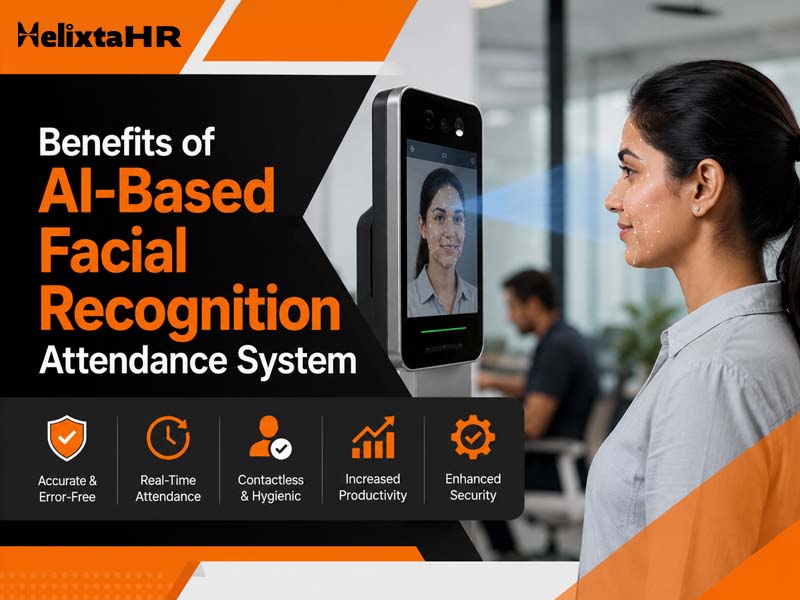
Attendance management of the workforce is one of the essential elements of any workplace. Nevertheless, there are some problems with conventional ways of attendance management when the number of workers grows, since manual registers may be time-consuming and biometric machines require hardware expenses, etc.
AI-based facial recognition attendance management technology is a much more convenient solution for attendance registration. It does not require any attendance devices; instead, workers may check themselves by the help of their faces.
Still juggling HR across spreadsheets and emails?
HelixTAHR brings payroll, leave, attendance, and employee records onto one platform – built for indian businesses, compliant by default.
What Is an AI-Based Facial Recognition Attendance System?
An AI-based facial recognition attendance system is an electronic attendance system that uses facial recognition technology to identify employees before registering their attendance.
This system either captures or scans the face of the employee and matches it with the registered facial data. After successful authentication of the employee, the attendance can then be taken.
Unlike other traditional attendance systems, facial recognition systems are able to eliminate the process of manually taking attendance.
For businesses, this can mean:
- Faster employee attendance marking
- Less manual attendance work
- Better identification accuracy
- Reduced dependency on physical attendance machines
- Contactless attendance verification
- Lower chances of proxy attendance
How Does Facial Recognition Attendance Work?
A facial recognition attendance system generally follows a simple process:
1. Employee Face Registration
The employee completes a one-time face registration using the supported device. The system stores the required facial information for future verification.
2. Face Verification
When the employee wants to mark attendance, the facial recognition software scans the person’s face and compares it with the registered information.
3. Employee Identification
If the facial information matches, the system identifies the employee and verifies their identity.
4. Attendance Is Recorded
After successful verification, the employee’s attendance is recorded in the HR system.
This process reduces the need for employees to use attendance cards, manually sign registers, or depend entirely on dedicated biometric machines.
Benefits of AI-Based Facial Recognition Attendance System
The main advantage of facial recognition attendance is that it makes attendance management more convenient while reducing some of the problems associated with traditional systems.
1. Reduces Dependency on Biometric Hardware
Traditional biometric attendance often requires dedicated machines to be purchased and installed at the workplace.
An AI-based system can allow organizations to use supported smartphones or tablets as an attendance terminal. This can reduce hardware dependency and make implementation easier.
2. Reduces Attendance Management Costs
Physical biometric devices come with purchase, installation, maintenance and replacement costs. The use of a standard Android/iOS phone to record attendance will assist firms to lessen their reliance on special attendance devices. This is especially beneficial for smaller firms that have many locations.
3. Prevents Proxy Attendance
Buddy punching, also known as proxy attendance, refers to where an employee records the attendance record of another employee. The use of facial recognition introduces an extra level of authentication since the face of the employee must match their own registration record to be verified. It becomes harder for employees to punch in on behalf of another employee.
4. Provides Contactless Attendance
Employees do not need to touch an attendance machine to verify their identity.
Face-based verification provides a contactless attendance experience, which can make the process more convenient for employees and easier to manage in busy workplaces.
5. Improves Attendance Accuracy
Manual attendance records can contain errors, especially when HR teams have to manage attendance for a large workforce.
Facial recognition can automate employee identification and reduce manual intervention during attendance marking.
This helps organizations maintain more consistent attendance records.
6. Simplifies Attendance for Employees
Employees do not have to remember attendance cards or depend on a particular biometric device.
Once their face is registered, the attendance process can be completed through the supported device with facial verification.
A simpler process can also reduce the time employees spend marking attendance every day.
7. Makes Deployment Easier
Installing biometric machines at every location can require additional planning, hardware, networking and maintenance.
A common-device approach can simplify deployment because organizations can use an existing Android or iOS device as the attendance terminal, subject to the solution’s requirements.
8. Reduces Manual HR Work
Attendance issues often create additional work for HR teams. Missing punches, synchronization problems and incorrect records may require manual checking and correction.
Automated facial verification can reduce some of this administrative effort and allow HR teams to spend more time on important workforce activities.
9. Suitable for Different Workplace Environments
A facial recognition attendance system can be useful for organizations that operate from offices, branches, or multiple locations.
A shared device can act as an attendance point without requiring every location to install a separate biometric machine.
10. Creates a Better Digital Attendance Experience
Modern employees expect workplace processes to be simple and digital. Facial recognition can bring attendance into the same technology ecosystem used for other HR activities.
When connected with an HRMS Software, attendance information can be managed alongside employee records, shifts, leave and other HR processes.
Facial Recognition Software vs. Traditional Biometric Attendance
Both technologies can be used to verify employee identity, but the way they are deployed can be different.
| Facial Recognition Software | Traditional Biometric System |
| Uses facial verification | Usually uses fingerprint or other biometric methods |
| Can work through supported mobile devices | Generally requires dedicated hardware |
| Contactless verification | May require physical interaction |
| Can reduce hardware dependency | Requires device installation and maintenance |
| Easier to deploy in some environments | May require additional infrastructure |
| Helps reduce proxy attendance | Helps prevent proxy attendance through biometric verification |
The right option depends on the organization’s workforce, infrastructure, budget, security requirements and attendance process.
How to Find the Right AI-Based Facial Recognition Attendance System
Choosing an attendance solution should not be based only on whether it offers facial recognition. Businesses should also consider how easily the system fits into their existing HR processes.
1. Check the Registration Process
Employee registration should be simple and should not require complicated steps.
Look for a system that supports straightforward one-time face registration and provides clear instructions to employees.
2. Look at Device Compatibility
Check whether the solution supports the devices your organization already uses.
A system that can work through supported Android or iOS devices can provide greater flexibility than one that depends entirely on dedicated hardware.
3. Evaluate Verification Accuracy
Facial recognition is only useful when employee identification is reliable.
Before selecting facial recognition software, understand how the system handles face verification and how it manages unsuccessful or unclear verification attempts.
4. Consider Attendance Security
Attendance records should be protected from unauthorized access.
Look for features such as secure authentication, role-based access and controlled access to employee attendance information.
5. Check HRMS Integration
Attendance should not operate as an isolated system.
A good solution should work smoothly with other HR processes, such as employee records, shifts, Leave management and payroll.
This reduces the need to maintain attendance information separately.
6. Consider the Total Cost
Do not look only at the software subscription.
Consider the complete cost of biometric devices, installation, maintenance, replacements, technical support and future expansion.
A common-device facial recognition solution may help organizations reduce some of these infrastructure costs.
7. Check Reporting and Attendance Records
HR teams need more than just an attendance punch.
The system should make it easy to access attendance records and identify issues that may require attention.
Clear records can also help HR teams handle attendance-related queries more efficiently.
8. Look for Scalability
Your attendance requirements may change as your workforce grows.
Choose a system that can support additional employees and locations without requiring a complete change in your attendance infrastructure.
Why Businesses Are Moving Towards Facial Recognition
Attendance
Manually managed attendance system or those dependent on hardware is slowly becoming outdated.
Organizations require a system that is easy to implement, does not involve much maintenance, and provides a convenient way for the employees to record their attendance.
Facial recognition based attendance management system using AI fulfills some of these needs as it combines face verification and attendance management.
In case of small businesses, it can prove beneficial in terms of reduced infrastructure needs. For large organizations, it can be used for managing attendance across various departments and branches.
The biggest advantage is not simply replacing a fingerprint machine with facial recognition. The real value comes from creating a simpler, connected and more reliable attendance process.
AI-Based Facial Recognition Attendance with HelixtaHR
HelixtaHR is developing Common Device Facial Recognition Attendance integrated with Helix AI to address several challenges businesses face with traditional biometric attendance systems.
The solution is designed to allow employees to use a shared Android or iOS device as an attendance terminal instead of depending on dedicated biometric hardware. Employees can complete a one-time face registration and subsequently use facial verification to mark attendance.
The planned solution is designed to help organizations:
- Reduce dependency on traditional biometric machines
- Lower hardware purchase and maintenance requirements
- Simplify attendance deployment
- Provide contactless attendance
- Improve employee identification
- Reduce proxy attendance
- Minimize manual attendance corrections
- Maintain more reliable attendance records
Still have questions about HelixTAHR?
Whether you’re a small startup or a large enterprise, our HR experts are ready to help you find the right plan for your team.
Conclusion
An AI-based facial recognition attendance system can make employee attendance faster, more convenient and less dependent on traditional biometric hardware. With features such as facial verification, contactless attendance and digital attendance records, businesses can reduce manual work while creating a better employee experience.
When choosing facial recognition software, businesses should look beyond facial scanning alone. Device compatibility, security, accuracy, HRMS integration, cost, reporting and scalability are equally important.
HelixtaHR’s Common Device Facial Recognition Attendance is designed with these practical business requirements in mind, giving organizations a potential alternative to traditional biometric attendance hardware while keeping attendance connected with their broader HRMS.