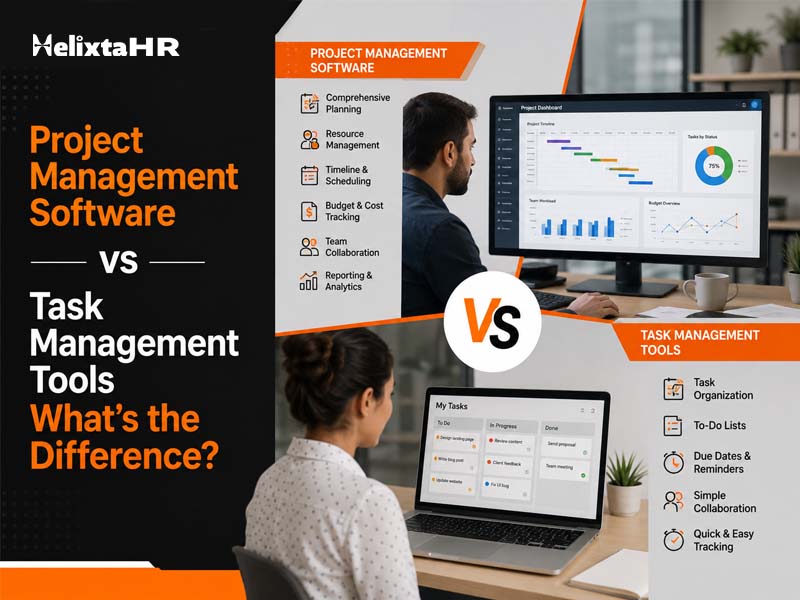
The terms “project management software” and “task management tool” have been used interchangeably by many because of the similarities in what they do. These similarities include to-do lists, deadlines, and some kind of board with cards being moved from point A to B. In reality, however, the two have distinct purposes and choosing the wrong one will likely result in frustrations after a couple of months when the work becomes too complex to manage through a simple checklist.
What is Task Management Tools Software?
Still juggling HR across spreadsheets and emails?
HelixTAHR brings payroll, leave, attendance, and employee records onto one platform – built for indian businesses, compliant by default.
Task management tools exist to do one thing well — keep track of individual tasks, who owns them, and when they’re due. Think of it as a shared to-do list that everyone on the team can see and update.
- Simple task creation, assignment, and due dates
- Checklists and subtasks for breaking work into smaller pieces
- Basic status tracking — to-do, in progress, done
- Personal or small-team use, without much need for cross-team coordination
This kind of tool works well for individuals or small teams juggling a list of things that need to get done, without much dependency between one task and the next.
What is Project Management Software?
Project management software goes a step further. It’s built to manage entire projects — meaning multiple tasks, timelines, dependencies, resources, and often several people or teams working together toward one larger goal.
- Gantt charts or timelines showing how tasks relate to and depend on each other
- Resource allocation, so managers can see who’s overloaded and who has capacity
- Budget tracking alongside task progress, for projects with financial stakes
- Reporting and analytics across the whole project, not just individual tasks
- Support for multiple projects running at once, with visibility across all of them
This is the kind of system a company reaches for once work stops being a flat list and starts becoming a network of interconnected pieces that all need to land at the right time.
Project Management Software vs Task Management Tools: Key Differences
The gap between the two becomes clearest once you look at what each is actually designed to handle. Task management tools stay focused on individual to-dos, while project management software takes on the bigger picture — timelines, dependencies, and everything that connects one task to the next.
| Factor | Task management tools | Project management software |
| Scope | Handles individual tasks | Handles entire projects made up of many tasks |
| Dependencies | Rarely shows how one task affects another | Maps out task dependencies clearly |
| Team size | Suits individuals or small teams | Built for larger, cross-functional teams |
| Complexity | Stays simple by design | Supports timelines, budgets, and resource planning |
| Reporting | Offers basic status views | Provides deeper analytics across the whole project lifecycle |
Which One Does Your Team Actually Need?
A team consisting of just a few people, having simple deliverables, no dependencies and a short period for completion of the task will definitely do well using task management tools. Using complex project management software in this situation would simply mean paying for something you won’t use at all.
Once a business launches several projects involving different stages, requiring tracking of budgets, interdependencies of tasks and tight deadlines, it becomes clear that task management tools are not enough anymore. This is when project management software becomes necessary.
Some companies land somewhere in between, and that’s fine too. A lot of modern project management software includes lightweight task management within it, so teams aren’t forced to choose one over the other entirely — they can start simple and grow into the deeper features as the work demands it.
Common Mistakes When Choosing Project and Task Management
A few patterns tend to show up when businesses pick the wrong tool for where they actually are.
- Choosing project management software too early, and ending up with a system nobody uses to its full potential
- Sticking with task management tools too long, past the point where dependencies and timelines genuinely need mapping
- Assuming more features automatically means better outcomes, when simplicity is often what a small team actually needs
- Not accounting for how the team will actually use it day to day, versus how impressive the feature list looks in a demo
Avoiding these usually comes down to being honest about the actual complexity of the work, rather than picking a tool based on what looks more “serious.”
How Project and Task Management Helps Broader Business Systems
Project and task management rarely exist in isolation once a business grows. Managers end up needing visibility not just into what work is happening, but who’s actually available to do it — which ties directly into attendance, leave, and workforce planning. A manager assigning a task shouldn’t have to separately check whether that person is on leave that week, and HR shouldn’t be the last to know that a key project deadline depends on someone who’s about to be short-staffed.
This is exactly where project and task management start to overlap with HR systems. When task assignments can cross-check against attendance and approved leave, managers stop accidentally assigning work to someone who isn’t in. When project timelines connect to workforce data, staffing decisions get made with actual visibility instead of guesswork.
How HelixtaHR Brings Project and Task Management Into HR
Most businesses run project management, task tracking, and HR on entirely separate systems, which means managers are constantly cross-checking one tool against another just to get a straight answer. HelixtaHR closes that gap by keeping task and project management connected to the same workforce data HR already relies on.
- Task assignment linked to attendance and leave — managers see who’s actually available before assigning work, so tasks don’t land on someone who’s on approved leave
- Project timelines built around real staffing data — deadlines and resourcing decisions reflect who’s actually in, not just who’s on paper
- One dashboard for managers and HR — task progress, deadlines, and workforce availability sit in the same view, instead of three different tools
- Deadline tracking tied to team capacity — managers can see workload across a team before piling on more tasks, reducing the risk of unrealistic timelines
- Performance data grounded in real work — task completion history feeds into performance reviews, so appraisals reflect actual contributions rather than a manager’s memory
- No separate system to maintain — task and project management sit inside the same platform as payroll, attendance, and leave, so growing teams aren’t stitching together multiple tools
For businesses that are tired of switching between a project tool, a task tracker, and an HR system just to answer one simple question — “is this person actually free to take this on?” — HelixtaHR brings all of it into a single place, so managers get a clear answer without the back-and-forth.
Still have questions about HelixTAHR?
Whether you’re a small startup or a large enterprise, our HR experts are ready to help you find the right plan for your team.
Conclusion
Task management tools and project management software solve different problems, and the right choice comes down to how complex your work actually is, not which one sounds more advanced. Small teams with straightforward lists do well with simple task tools, while businesses running larger, interconnected projects need the deeper planning that proper project management software provides.
For businesses that want this connected to the bigger picture — where task assignments, project timelines, and workforce availability all talk to each other — HelixtaHR brings project and task management together with attendance, leave, and HR data in one platform, so managers aren’t juggling separate systems just to know who’s actually available to do the work.