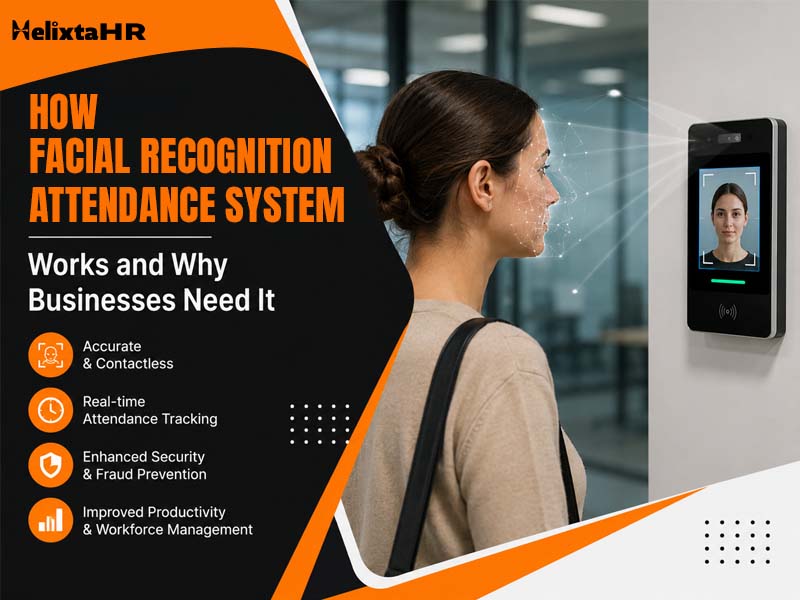
For years, offices ran attendance more or less the same way — a fingerprint scanner near the entrance, a short queue every morning and somewhere in the background, an HR person quietly fixing a device that had stopped syncing again. That setup is losing ground fast. More companies are switching to a Facial Recognition Attendance System instead and the reasons aren’t hard to guess if you’ve ever dealt with a fingerprint machine that refuses to read a smudged thumb.
Hardware breaks down, hygiene becomes a real concern after 2020 and syncing issues between the device and the HRMS were never fully solved. Facial recognition sidesteps most of this by using a camera instead of a scanner, which is a big part of why growing Indian businesses are picking it over the old setup.
Still juggling HR across spreadsheets and emails?
HelixTAHR brings payroll, leave, attendance, and employee records onto one platform – built for indian businesses, compliant by default.
What Is a Facial Recognition Attendance System?
Put simply, a Facial Recognition Attendance System uses a camera and some AI to recognise a person’s face and log their attendance, no fingerprint or card needed. The camera could sit on a shared device at the entrance, or it could just be someone’s phone. Either way, it scans the face and checks it against a saved profile in a second or two.
Under the hood, Facial Recognition Attendance Software maps out the specific points on someone’s face — how far apart the eyes sit, the shape of the jaw, that sort of thing — during a registration step that only happens once. Every check-in after that gets compared against this saved map. Close enough match, attendance gets logged. Nobody’s typing anything in.
How Does a Facial Recognition Attendance System Work?
A Facial Recognition Attendance System solves most of these problems at once, using a camera instead of a physical scanner, which is exactly why it’s becoming the preferred choice for growing Indian businesses.
Step 1: Employee Face Registration
This is a one-time thing and it doesn’t take long. The employee opens the app, looks at the camera and the system grabs a few angles of their face to build a profile. That’s it — nothing else needs setting up after this.
Step 2: Face Detection and Verification
Each time someone checks in, the software spots the face on camera and runs it against the stored profile. This takes a couple of seconds and it’s built to not get tricked by a photo held up to the lens or confused between two similar-looking people.
Step 3: Attendance Marking and Data Recording
Once it confirms the match, attendance gets logged automatically — time stamped, location too, if geo-fencing is switched on. No punch card, no register, nobody signing anything by hand.
Step 4: Attendance Data Integration With HR Systems
This part is where it actually becomes useful, not just neat. The attendance data goes straight into the HRMS and from there it touches payroll, shift schedules, leave records — all without someone typing numbers from one sheet into another. A late clock-in shows up immediately, ready to factor into that month’s salary calculation.
Key Features of Facial Recognition Attendance Software
Here are the key features of facial recognition attendance hr software:
AI-Based Face Verification
The verification runs on AI models trained to handle real-world variation — different lighting, someone wearing glasses one day and not the next, that kind of thing.
Contactless Attendance Tracking
No touching a scanner means it stays hygienic and honestly, it’s just faster too, which matters in a shared office.
Real-Time Attendance Monitoring
HR and managers see who’s checked in as it happens, rather than waiting around for someone to pull together a report later in the day.
Proxy Attendance Prevention
You can’t really lend someone your face the way you might hand over a card, so buddy punching becomes a lot harder to pull off.
Cloud-Based Attendance Management
Records live on the cloud, so nothing’s sitting on one device that could crash or go missing.
Mobile-Based Attendance Access
A lot of these systems let employees check in through their phone, which works out well for field staff or anyone not tied to one location every day.
Why Do Businesses Need a Facial Recognition Attendance System?
Reduces Dependency on Traditional Biometric Machines
Biometric devices cost money upfront and need looking after over time. Swap them for a Facial Recognition Attendance System and suddenly a regular Android or iOS device does the job just fine.
Improves Attendance Accuracy
Paper registers miss entries. Even fingerprint scanners glitch out sometimes — a smudge, a brief outage, whatever. Facial recognition cuts down on most of that because it’s all digital and logged the second it happens.
Prevents Proxy Attendance and Buddy Punching
This has always been the weak spot with manual or card-based systems. A face check confirms who’s actually there, which makes it far tougher for one person to check in on someone else’s behalf.
Saves HR Time and Reduces Manual Work
Every month, HR ends up fixing attendance mistakes that shouldn’t have happened in the first place. Automated facial recognition mostly removes that step, since what lands in the system is already accurate.
Provides a Better Employee Experience
Walking past a camera takes a few seconds. Standing in line at a fingerprint scanner takes longer. Multiply that by a few hundred check-ins a month and the difference actually adds up.
Helps Manage Remote and Multi-Location Teams
Field staff and multi-branch teams have always struggled with attendance tied to one fixed machine somewhere. A mobile-based system gets around that completely — attendance works wherever the person actually is.
Benefits of Using Facial Recognition Attendance Software for Businesses
Lower Infrastructure and Maintenance Costs
No biometric hardware to buy or service means real savings, both upfront and down the line.
Faster Attendance Processing
Verification wraps up in seconds, which counts for a lot when half the office is checking in around the same time.
Better Attendance Security
Faking a face scan is a lot harder than swiping someone else’s card or guessing a PIN.
Easy Employee Management
Attendance, leave and shifts all connected means managing a growing team stops being such a juggling act.
Accurate Attendance Reports
Since everything’s logged digitally as it happens, reports actually reflect reality instead of whatever got manually typed in later.
Seamless HR and Payroll Integration
When Facial Recognition Attendance Software talks directly to HRMS and payroll, nobody’s manually moving numbers around before a salary run.
How to Choose the Right Facial Recognition Attendance Software?
Still have questions about HelixtaHR?
Whether you’re a small startup or a large enterprise, our HR experts are ready to help you find the right plan for your team.
Check Accuracy and Security Features
Look for AI verification that actually holds up in different lighting or with small changes in someone’s appearance.
Look for HRMS and Payroll Integration
Attendance software that doesn’t plug into payroll just creates a new kind of manual work instead of removing the old one.
Evaluate Device Compatibility
It should run on ordinary Android or iOS devices — no need for anything specialised or expensive.
Consider Scalability for Future Growth
Whatever you pick should handle more employees and more locations without a total setup overhaul each time.
Reduces Operational Complexity
The good ones make attendance simpler overall, not just another tool sitting on IT’s plate.
Common Challenges With Traditional Attendance Systems
High Hardware Costs
Buying biometric devices for every branch adds up fast, especially once a business spreads across multiple sites.
Biometric Device Maintenance Issues
Fingerprint scanners need regular cleaning to stay accurate and one broken device can throw off attendance for an entire team.
Attendance Synchronization Problems
Data from biometric machines doesn’t always land in the HRMS correctly or on time, leaving gaps someone has to fix by hand.
Manual Attendance Corrections
Bad or missing attendance data means HR spends time correcting records instead of doing anything more useful.
Difficulty Managing Multiple Locations
Keeping biometric hardware running consistently across several branches adds a layer of hassle most growing businesses could do without.
Future of Attendance Management With AI Technology
Attendance is quietly turning into something that runs in the background rather than something HR has to actively watch over. AI is a big part of that shift — not just through facial recognition, but through spotting unusual patterns, flagging risks early and tying attendance more closely to payroll and workforce planning. As more businesses lean into AI-driven HR tools, attendance becomes one less thing someone has to manually track, leaving more room for the parts of the job that actually need a person’s judgment.
Simplify With HelixtaHR Facial Recognition Attendance System
HelixtaHR has rolled out Common Device Facial Recognition Attendance, letting businesses use a shared Android or iOS device instead of buying dedicated biometric hardware. It’s built to solve the exact problems customers kept bringing up with traditional machines — integration headaches, delayed syncing and the ongoing cost of maintaining separate devices.
Mark Attendance Using Facial Recognition
Employees just look into a shared device’s camera to check in — no scanner, no card, nothing extra to carry.
Reduce Biometric Hardware Dependency
Any regular Android or iOS device can act as the attendance terminal, so businesses skip the cost and upkeep of dedicated machines entirely.
Enable Secure Employee Verification
Facial recognition confirms who’s actually there before attendance gets logged, cutting down proxy attendance significantly.
Improve Attendance Accuracy
Since the data’s verified automatically, HR spends a lot less time going back to fix mistakes.
Simplify through HRMS Integration
Attendance flows straight into HelixtaHR’s HRMS, connecting to payroll, shifts and leave without anyone stepping in manually.
Conclusion
A Facial Recognition Attendance System makes the whole process faster, more secure and mostly hands-off, cutting out a lot of the manual work that traditional biometric machines still demand. Businesses that switch tend to see fewer disputes over attendance, lower hardware bills and a noticeably easier experience for both HR and employees. Picking the right Facial Recognition Attendance Software, one that actually connects to HRMS Software and payroll, is really what turns this from a nice feature into a genuinely smarter HR setup.
Explore HelixtaHR’s AI-powered Facial Recognition Attendance System and simplify employee attendance management.