Post In:
- HR Software Guide


HelixtaHR is India's leading HRMS software for payroll, leave, attendance and employee management — smart, AI-first HR technology designed to simplify work for businesses.
Contact Info
Three demos in, and every vendor sounds the same. Each one promises “seamless payroll,” “smart automation,” and “everything in one place.” Then the pricing proposals arrive, and no two are comparable.
Choosing an HRMS isn’t about counting features or picking the lowest subscription fee. The right platform fits your HR processes, your payroll requirements, your workforce size and where the business is headed. This guide gives you 12 practical criteria to compare HR software objectively, plus a free scorecard so every shortlisted vendor gets measured against the same standards. No gut feel. No sales-deck bias.
Skip the structured comparison and the problems show up later, usually after you’ve signed.
Every one of these is expensive to fix once you’re locked into a contract. A structured HRMS comparison pushes you to look past the price tag. It makes you evaluate functionality, usability, security and long-term value together. That’s how you avoid buying a tool that looks great in a demo and frustrates everyone by March.
Don’t call a single vendor yet. Write down how HR actually works today.
This list becomes your yardstick. Without it, vendors set the agenda and you end up comparing what they want to show you. With it, any HRMS comparison turns into a simple question: does this platform meet our actual needs?
For each criterion below, there’s one question to ask in the demo. Ask for evidence, not reassurance.
This is the foundation. Everything else pulls from it. The platform should hold employee profiles, documents, job details, reporting structures and employment history in one place.
Ask: “Can you show me a full employee record, including documents and history, in one view?”
Look at salary structures, earnings, deductions, reimbursements, payslips, payroll reports and variable pay. Many systems handle a basic monthly run. Fewer handle your messy exceptions.
Ask: “Can you run payroll for one of our trickier salary structures?”
Check whether the system supports the payroll components, statutory calculations, records and updates relevant to your business. Then check how the vendor handles regulatory changes. Laws move. Software needs to keep up.
Ask: “How and how quickly do you update the system when rules change?”
These should flow into payroll without retyping. Check how the system handles attendance records, leave balances, shift schedules and overtime.
Ask: “Show me how a missed punch ends up in the salary calculation.”
Can employees view payslips, apply for leave, check attendance and update permitted details without pinging HR? Self-service is where HR gets its time back
Ask: “What can an employee do on their own, on their phone?”
Leave, attendance corrections and employee updates should follow defined approval hierarchies, not email chains.
Ask: “Can I set up our approval chain myself, or does that need your team?”
Check compatibility with accounting software, biometric devices, existing business applications and APIs. HR software integration is where hidden costs like to hide.
Ask: “Which of our current tools connect out of the box, and which need custom work?”
HR and business leaders should see useful reports on headcount, attendance, payroll costs, leave and employee data. A report you can’t customise is a screenshot.
Ask: “Can I build the report my finance head asked for last month?”
Employee data is sensitive. Evaluate role-based permissions, authentication, data protection practices, audit trails, backups and how the vendor handles employee information. HR data security isn’t a feature to negotiate on.
Ask: “Who can see salary data, and how is that access logged?”
If managers and employees find it clumsy, they won’t use it. Check that regular tasks work easily on desktop and mobile.
Ask: “Can I approve a leave request from my phone right now?”
Ask about migration timelines, onboarding help, employee training, support availability and how issues get resolved. A great product with poor support is a poor product.
Ask: “What does the first 90 days look like, and who’s my contact?”
Compare per-employee charges, minimum user requirements, setup fees, add-on costs, renewal terms, data export options and the cost of scaling. HRMS pricing is rarely just the number on the first page.
Ask: “What will we pay in year two, with 30% more employees?”
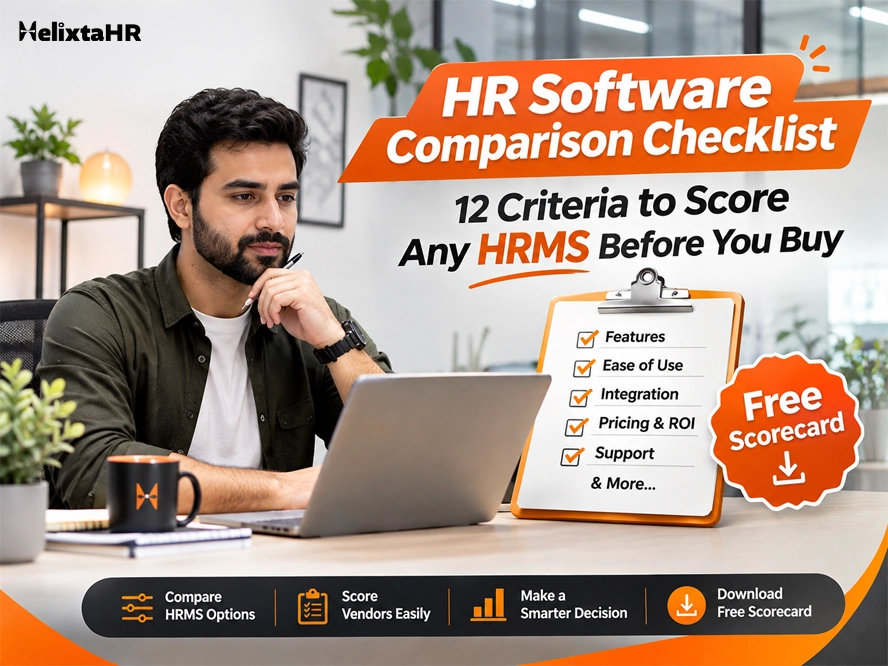
Print this. Use it during every demo. Rate each shortlisted platform from 1 to 5 on every criterion:
| Evaluation criteria | Vendor A | Vendor B |
| Core HR | /5 | /5 |
| Payroll | /5 | /5 |
| Compliance support | /5 | /5 |
| Attendance and leave | /5 | /5 |
| Employee self-service | /5 | /5 |
| Workflow automation | /5 | /5 |
| Integrations | /5 | /5 |
| Reporting | /5 | /5 |
| Data security | /5 | /5 |
| Ease of use | /5 | /5 |
| Implementation and support | /5 | /5 |
| Pricing and scalability | /5 | /5 |
| Total | /60 | /60 |
The highest score isn’t automatically the winner. A vendor can score 52 and still fail on the one thing you can’t live without. Prioritise your essential requirements, security and real workflow fit first. Then let the totals break ties.
Some warning signs show up early. Watch for these:
Any one of these deserves a follow-up. Several together is your answer. And whenever you can, ask the vendor to run a real process live instead of clicking through a polished presentation. Slides don’t reveal much. A live payroll run does.
If you’re short on time during an HRMS comparison, spend it here. Payroll errors cost money and trust, and compliance mistakes cost more.
Check that the platform handles:
Payroll automation only helps when the inputs are right, which is why connected attendance and leave data matter so much.
Use official sources to verify what applies to you. The Ministry of Labour & Employment publishes the four Labour Codes, implementation updates and employer FAQs, which help confirm wage, record-keeping and employment requirements. Its employer compliance handbook covers attendance, wage and overtime registers, wage slips and record maintenance.
The Income Tax Department’s TDS guidance explains the transition to the Income Tax Act, 2025 for salary payments from April 2026. And the Digital Personal Data Protection Act, 2023 sets the framework for processing personal data and applying reasonable security safeguards.
Requirements depend on your establishment, the applicable law and government notifications. HR software can support record management and calculations. It doesn’t independently guarantee compliance.
HelixtaHR is an AI-powered HRMS that brings multiple workforce processes into one platform. Here’s what it covers:
When employee, attendance and payroll information live together, there’s less repeated data entry and routine HR work gets easier to manage. An employee can ask about a leave balance or attendance status without messaging HR. HR can spend that time on exceptions.
A good HRMS fits your current requirements, supports reliable payroll, protects employee information and scales as you grow. Whether you compare HR software for a 50-person team or a 500-person one, the discipline is the same: define requirements, run the HRMS comparison with a scorecard and ask vendors to prove it live.
The platform you pick today should also stretch tomorrow. Businesses that connect payroll, attendance and recruitment software in one HRMS avoid rebuilding their data every time they add a module.
Ready to put HelixtaHR through the scorecard? Explore its AI-powered HRMS capabilities and book a demo to see your own workflows in action.
Document your requirements first, shortlist vendors, then score each one from 1 to 5 against the same criteria during live demos. Weigh essentials like payroll fit and security above the total score.
Core HR records, payroll, statutory compliance support, attendance and leave, employee self-service, workflow automation, integrations, reporting, security, ease of use, implementation support and pricing.
Look beyond the per-employee rate. Ask about minimum user requirements, setup fees, add-ons, renewal terms, data export options and what scaling will cost in year two.
HR systems hold salary, identity and personal data. Check role-based access, authentication, audit trails, backups and how the vendor aligns with data protection requirements such as the DPDP Act, 2023.
It can automate calculations, record-keeping, and routine workflows. HR teams still need to verify statutory requirements, payroll outputs and filings.
